 英语
英语 西班牙语
西班牙语 德语
德语 法语
法语 俄语
俄语
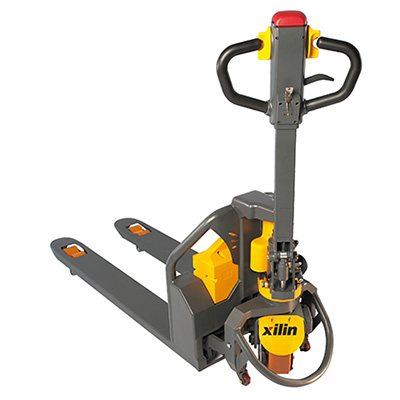 Electric Pallet Truck
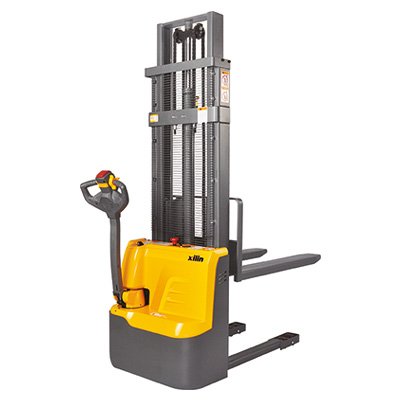 Electric Stacker
 Order Picker
 Narrow Aisle Truck
 VNA Tri-Lateral Stacker
 Tow Tractor
 Electric Forklift
 Lithium-ion Truck
 Hand Pallet Truck
 Manual Stacker
 Lift Table
Content
- 1 What Is an Electric Stacker and Why WareSpace Uses Them
- 2 Operator Requirements Before You Start
- 3 Pre-Operation Inspection Checklist
- 4 Step-by-Step: How to Operate an Electric Stacker
- 5 Key Safety Rules in a Shared Warehouse Environment
- 6 Charging and Battery Care
- 7 Common Mistakes to Avoid
- 8 When to Contact WareSpace Staff
Using electric stackers at WareSpace is straightforward once you understand the basic controls, safety requirements, and operational procedures. Operators must complete a brief orientation, inspect the equipment before each use, and follow designated aisle protocols. Whether you're lifting pallets to a high shelf or moving inventory across a shared warehouse floor, this guide walks you through every step.
What Is an Electric Stacker and Why WareSpace Uses Them
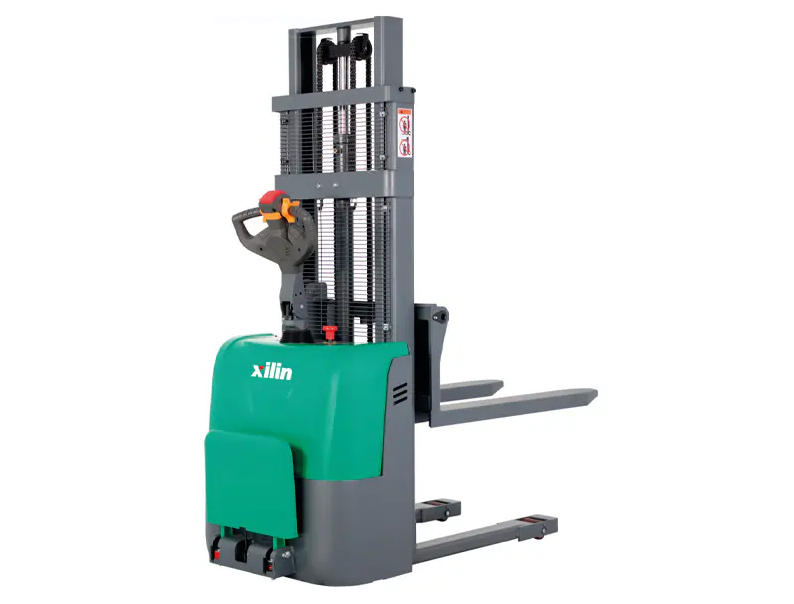
An electric stacker is a powered material-handling machine designed to lift, lower, and transport palletized loads within a warehouse environment. Unlike a full forklift, electric stackers are compact, battery-operated, and ideal for shared spaces where multiple tenants need safe, efficient access to vertical storage.
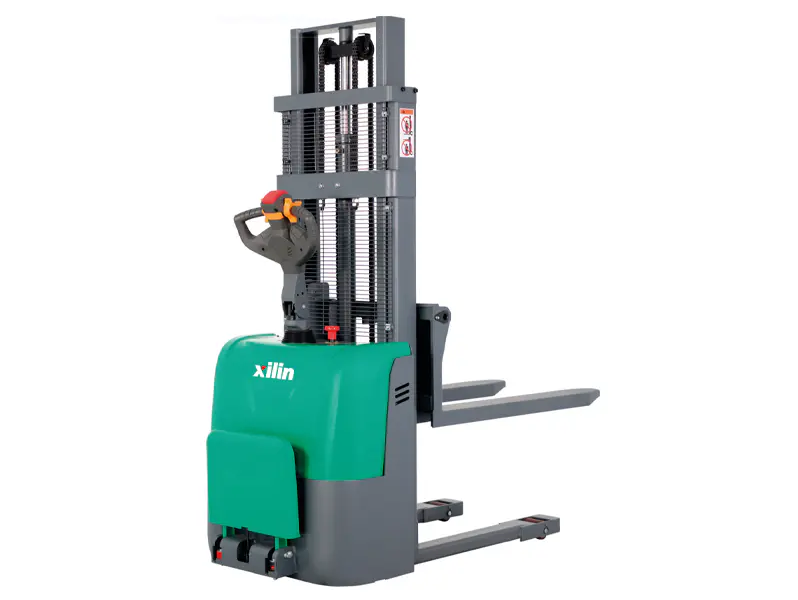
WareSpace facilities commonly provide walk-behind or ride-on electric stackers with lift capacities ranging from 2,000 to 3,000 lbs and lift heights up to 16 feet. These specs make them suitable for the pallet racking systems found in most WareSpace units.
| Feature | Walk-Behind Stacker | Ride-On Stacker |
|---|---|---|
| Typical Load Capacity | Up to 2,200 lbs | Up to 3,000 lbs |
| Max Lift Height | Up to 12 ft | Up to 16 ft |
| Best For | Narrow aisles, light loads | Heavy pallets, frequent use |
| Aisle Width Required | ~5 ft | ~8 ft |
Operator Requirements Before You Start
Before operating any electric stacker at WareSpace, every user must meet baseline requirements. These are not optional — they protect both the individual operator and other tenants sharing the facility.
- Complete the WareSpace equipment orientation provided at move-in or upon request
- Read and acknowledge the equipment usage policy in your lease or membership agreement
- Wear closed-toe shoes; high-visibility vests are recommended in shared dock areas
- Never operate the stacker under the influence of medication or substances that impair judgment
- Only trained and authorized personnel may operate the machine — no exceptions
If you are unsure whether you are cleared to operate the stacker, contact WareSpace staff directly. Unauthorized use may result in suspension of warehouse privileges.
Pre-Operation Inspection Checklist
A pre-shift inspection takes less than 5 minutes but can prevent equipment damage, injury, and liability. Before each use, verify the following:
Battery and Power
- Battery charge indicator shows at least 20% remaining — below this level, performance and brake response can degrade
- Battery connections are secure and free of corrosion
- Charger has been properly disconnected before use
Forks and Mast
- Forks are level, undamaged, and free of cracks or bends
- Mast moves smoothly through the full range of lift and lower without jerking
- No hydraulic fluid leaks visible beneath the machine
Controls and Safety Features
- Emergency stop (deadman switch) functions correctly — releasing the handle should automatically brake the machine
- Horn or alert works when tested
- Load backrest extension is in place and secure
If any issue is found, do not operate the machine. Report it to WareSpace staff and wait for a replacement or repair.
Step-by-Step: How to Operate an Electric Stacker
Follow these steps in order every time you use the stacker. Skipping steps — especially those related to load stability — is the most common cause of warehouse accidents.
Step 1: Power On and Initial Setup
- Insert the key or enter the PIN code (provided during orientation)
- Check the dashboard display for any fault codes or warning lights
- Lower the forks completely to the floor before moving the machine
Step 2: Approach and Pick Up a Pallet
- Approach the pallet straight on at slow speed — never at an angle, which can tip the load
- Align the forks with the pallet openings; the forks should slide in fully before lifting
- Lift the load 4–6 inches off the ground — just enough to clear the floor during travel
- Tilt the mast back slightly (if your model has tilt) to stabilize the load against the backrest
Step 3: Travel with a Load
- Keep the forks low (4–6 inches) at all times during travel
- Move at a walking pace — no faster than 3 mph in occupied areas
- Sound the horn at blind corners, dock doors, and intersections
- Never carry passengers and never allow anyone to walk under a raised load
Step 4: Stacking and Racking
- Position the stacker directly in front of the target rack bay — square alignment is critical
- Lift the load slowly past the target beam height by 2–3 inches
- Drive forward gently until the pallet is fully over the rack beam
- Lower the load onto the beam evenly — confirm both forks clear the beam before reversing
- Reverse slowly and lower the forks to floor level before moving away
Step 5: Powering Down After Use
- Return the stacker to its designated parking area
- Lower forks fully to the floor
- Turn off the key switch or log out of the PIN system
- Plug the charger in if the battery level is below 30%
- Report any issues observed during use to WareSpace staff before leaving
WareSpace facilities are shared by multiple tenants simultaneously. This makes adherence to safety rules more critical than in a single-operator warehouse. The following rules apply at all times:
- Pedestrians always have the right of way — slow down or stop whenever a person is nearby
- Never exceed the rated load capacity printed on the machine's data plate
- Do not use the stacker on wet, oily, or uneven floor surfaces
- Keep loads stable and wrapped — loose items on pallets should be shrink-wrapped before lifting
- Maintain a clear line of sight; if a load blocks your view, travel in reverse
- Do not modify, bypass, or disable any safety feature on the machine
According to OSHA data, nearly 85 fatalities and 34,900 serious injuries occur annually in the U.S. from powered industrial truck incidents. Most are preventable with proper training and adherence to protocol.
Charging and Battery Care
Proper battery management extends equipment life and ensures the stacker is ready for the next user. At WareSpace, charging stations are typically located in designated areas near the loading dock.
- Charge the battery when it drops below 20–30% — do not let it reach 0%, as deep discharge shortens battery lifespan significantly
- A full charge typically takes 6–8 hours for a standard lead-acid battery; lithium-ion models charge in 2–4 hours
- Do not charge a battery that is hot from heavy use — allow it to cool for 30 minutes first
- Never leave the charger connected indefinitely on older lead-acid models — check WareSpace policy for auto-shutoff charger availability
Common Mistakes to Avoid
Even experienced operators make these errors. Being aware of them helps you avoid costly incidents or equipment damage:
| Mistake | Risk | Correct Practice |
|---|---|---|
| Traveling with forks raised | Load tip-over, structural damage | Always travel with forks 4–6 inches above floor |
| Overloading the forks | Hydraulic failure, front tip-over | Check data plate; never exceed rated capacity |
| Turning with a raised load | Lateral instability, rack collision | Lower load before turning in narrow aisles |
| Ignoring pedestrian zones | Collision with other tenants or staff | Sound horn at all intersections; yield to foot traffic |
| Skipping pre-use inspection | Undetected faults cause mid-operation failure | Complete full checklist before every shift |
When to Contact WareSpace Staff
Some situations require immediate escalation to WareSpace staff rather than self-resolution. Always contact staff if:
- The machine displays a fault code or warning light that does not clear after restart
- The stacker makes unusual sounds — grinding, clicking, or hydraulic hissing
- Any collision occurs, even if no visible damage is apparent
- A load is dropped or a rack is struck during operation
- You are unsure about a procedure — ask first, operate second
WareSpace staff are available during facility hours and can assist with equipment troubleshooting, replacement units, and additional training. Proactively reporting issues helps keep the equipment safe for all tenants and reduces your own liability exposure.